
ROBOT VACUUM REVIEW
Dreame Matrix10 Ultra Review
Automatic mop switching, three cleaning solutions and a dock designed to take more floor care off your list.
By KitchLit · Updated November 17, 2026
Research-based review of the US model. We may earn a commission when you buy through our links.
Key takeaways
1
Separate mops by area
The switching dock can use different mop sets for different rooms. That is the Matrix10 Ultra’s main reason to consider it.
2
Make room for the dock
Its tall station stores mop sets, solution and large water tanks. Measure the footprint and leave room to service it.
3
Read the test conditions
The 3.15-inch climbing and 212°F washing claims describe specific conditions. They are not promises for every step or floor.
Jump to: Our verdict / Specifications / Mop switching / Three-solution compartment / Video / FAQs
Is the Dreame Matrix10 Ultra worth it?
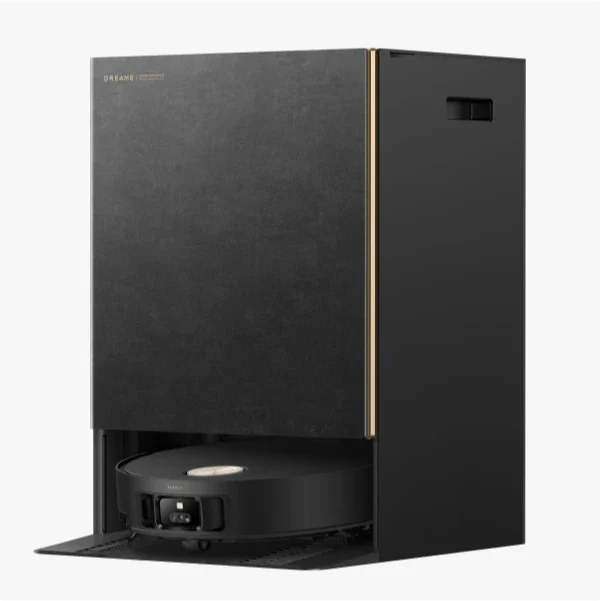
The Matrix10 Ultra makes the strongest case in a home where regular mopping matters: kitchen crumbs and spills, pet areas, and several rooms you would rather clean with separate mop sets. Its appeal is the combination of a mop-switching station, automatic solution selection and extensive dock care.
We would put those features ahead of the headline suction number when deciding whether it fits your home. The system is more elaborate than a robot with a basic charging or dust-emptying dock, and that brings more parts to store, clean and replace.
Our view: a worthwhile model to shortlist if you will use the room-specific mopping. For a small, mainly carpeted home, a simpler robot may cover the actual job with less equipment.
For the wider product range, read our Dreame review.
What stands out
- Automatic switching between room-assigned mop sets.
- Separate everyday, pet-odor and wood-floor solution options.
- Dock functions that handle dust emptying, mop washing and drying.
- Retractable navigation and leg-assisted threshold crossing.
What to weigh up
- A large, tall dock with tanks and consumables to manage.
- More automation does not remove tank, tray and brush maintenance.
- Step clearance depends on the shape and depth of the threshold.
- A robot still cannot clean stairs, upholstery or every tight corner.
Matrix10 Ultra at a glance
These are Dreame’s published US specifications, with the conditions that matter when planning where the robot will work.
| Feature | Dreame’s US specification | What it means at home |
|---|---|---|
| Maximum suction | 30,000Pa | Dreame’s published maximum; it is not a KitchLit pickup-test result. |
| Mop management | Multi-Mop Switching Dock | Assign different mop sets to different areas in the app. |
| Cleaning solutions | Three-solution compartment | Separate options for everyday cleaning, pet-odor care and sealed wood floors. |
| Mop washing | Up to 212°F at the washboard heating system | This is a dock-washing claim, not a 212°F floor-mopping temperature. |
| Step clearance | Up to 1.65in single-layer; 3.15in double-layer | The taller claim needs a suitable two-step profile, including enough lower-step depth. |
| Robot dimensions | 13.78 × 13.82 × 3.50in, sensor retracted; 4.37in high with sensor raised | Measure furniture clearance and allow room for the robot to approach. |
| Dock dimensions | 16.38 × 17.99 × 23.23in | Add space above and around it for tanks, the dust bag and service access. |
| Water tanks | 5.5L clean water / 4L used water | You still refill clean water and empty the used-water tank. |
| Dust storage | 3.2L dock bag / 310ml robot dust box | Bag-changing intervals depend on debris levels and cleaning frequency. |
Allow extra room beyond the dock’s listed dimensions to lift out the water tanks and reach service areas. Manufacturer figures describe specified test conditions, rather than KitchLit measurements.
Multi-Mop Switching Dock
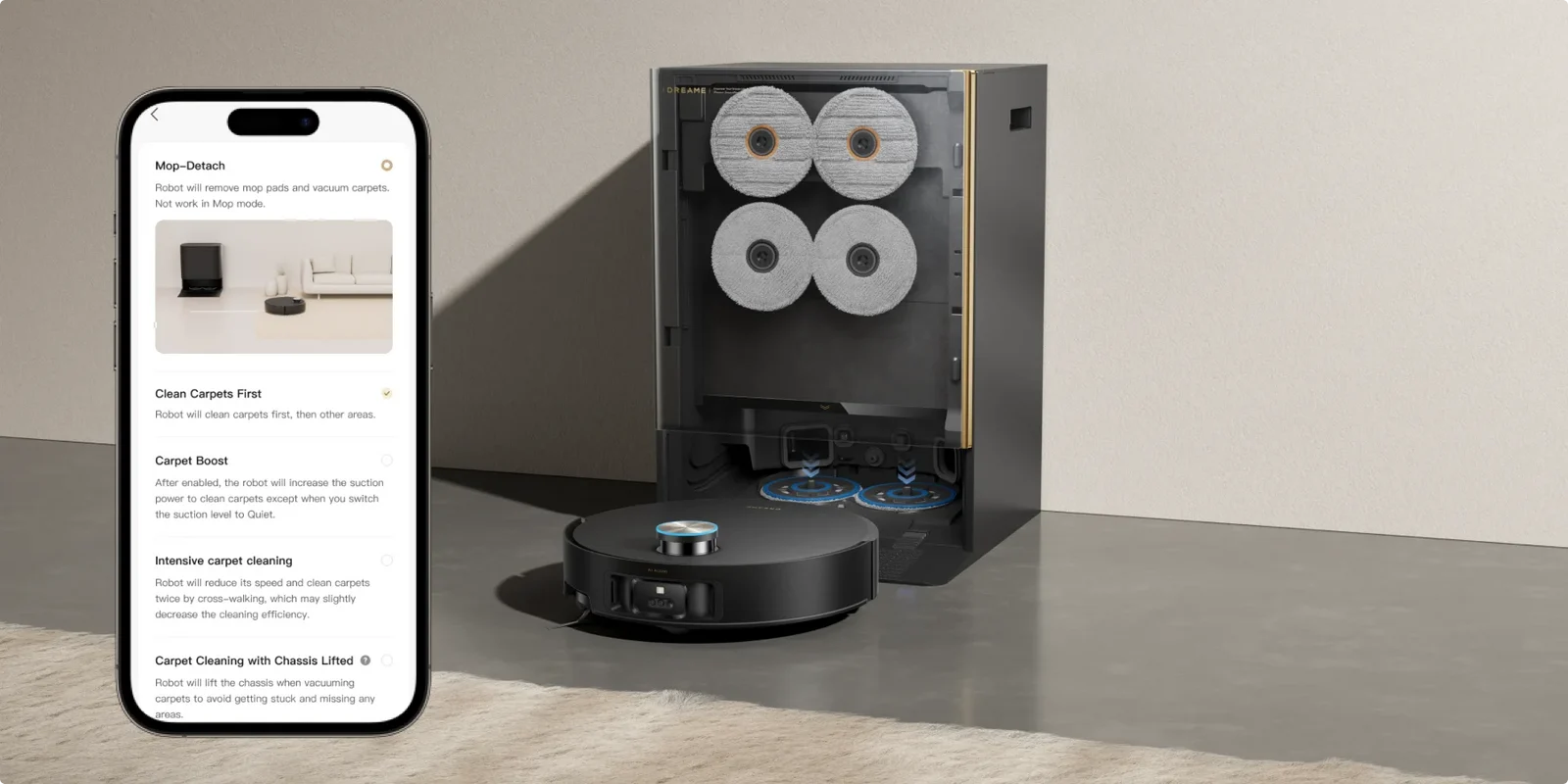
Its most distinctive feature is the ability to change the mop set as the cleaning route moves between areas.
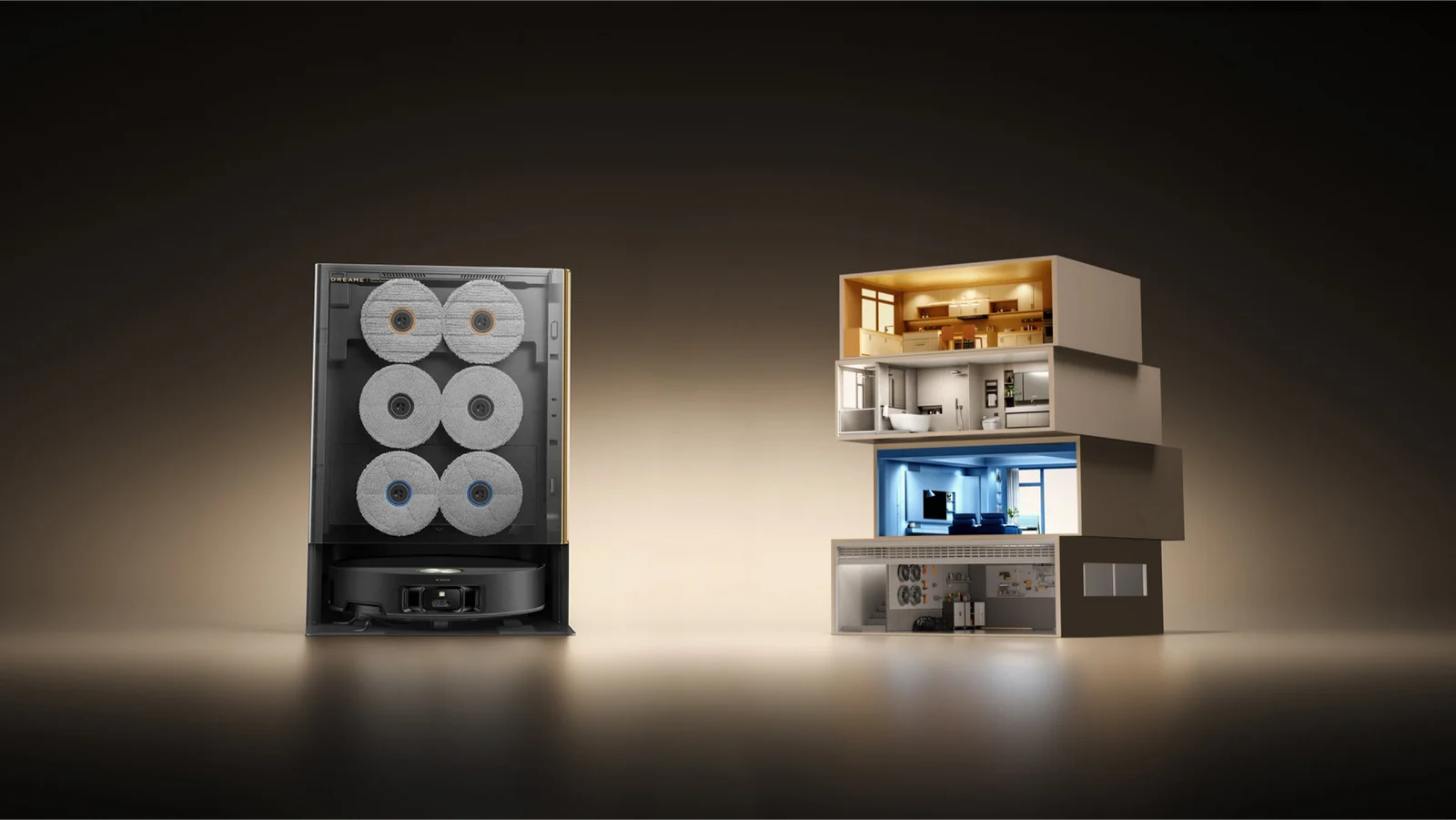
A separate set for different rooms
Instead of sending the same pads from the kitchen into every other room, you can configure area-specific mop use in the Dreamehome app. The dock stores and exchanges the sets during the cleaning routine. That is useful when greasy kitchen floors, a bathroom and the living room need different treatment.
Useful separation, with regular care
Separate pads can reduce the amount of dirt carried between assigned zones, but we would not treat this as a guarantee of sterile floors. Pads still need appropriate washing, inspection and replacement. Set the room assignments carefully and check that the map reflects how your home is actually used.
Three-Solution Compartment
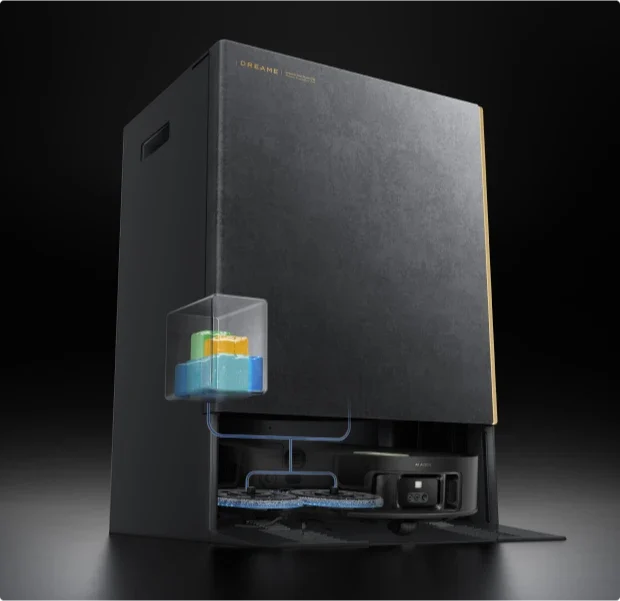
The dock separates three types of floor-care solution, so the routine can be matched to different areas and compatible surfaces.
Day-to-Day Cleaning
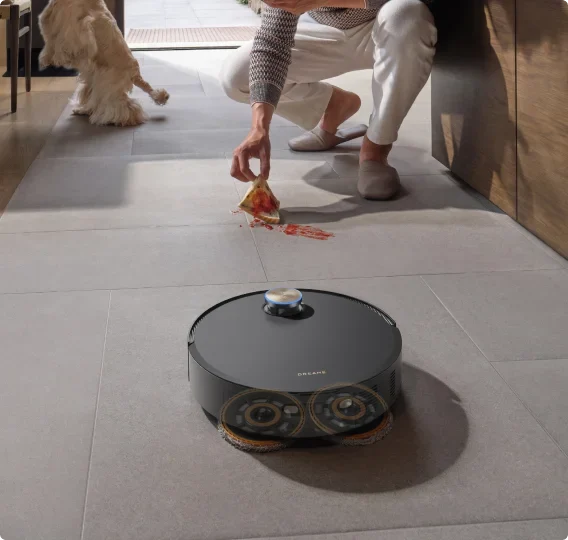
An everyday floor-cleaning solution is automatically mixed into the routine. It is the starting point for ordinary dust, crumbs and compatible floor mess.
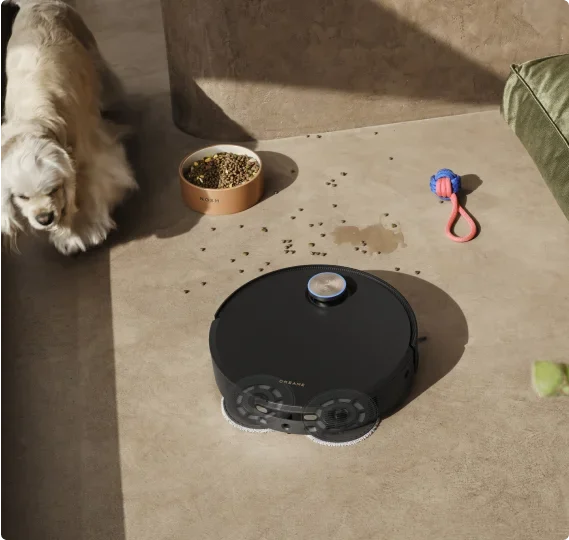
Pet Odor Care
A separate pet-odor solution offers a different option for areas around pets. It complements regular cleaning of feeding spots, bedding and litter areas.
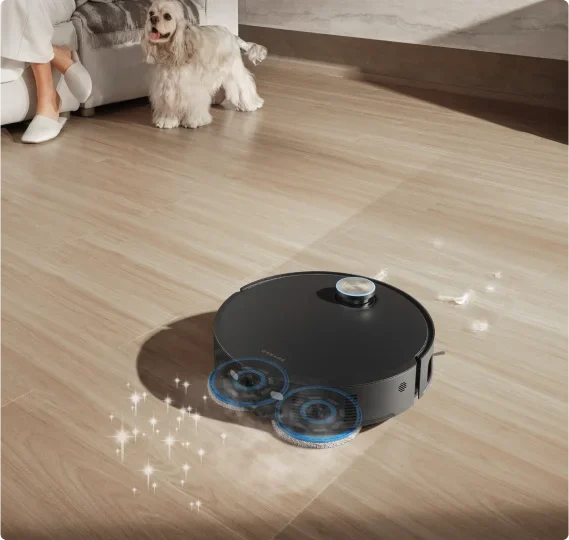
Hardwood Care
The wood-care solution is intended for sealed wood floors. Check your flooring maker’s water and cleaning-product guidance before using wet mopping.
Before filling the compartments: use Dreame-approved cleaning solutions and follow the model’s instructions. A three-compartment dispenser is not an invitation to mix household cleaners or add any detergent you have on hand.
See the mop system in action
Dreame’s short product animation shows the mop-pad design up close.
Official Dreame product demonstration. The video illustrates the manufacturer’s design and claims; it is not a KitchLit test.
Vacuuming, hair and carpet care
Mop switching gets the attention, but a robot still needs to pick up everyday debris and work around the surfaces in your home.
Pickup and tangled hair
Dreame lists a maximum of 30,000Pa and a HyperStream Detangling DuoBrush. Those are reasons to inspect this model, rather than enough evidence to rank its real-world pickup against every rival. Hair length, carpet pile, debris and the cleaning mode all affect the job. Check the brush ends regularly even with an anti-tangle design.
Edges and rugs
An extending side brush and mop are intended to reach edges more closely. The robot also supports lifting and removal functions for its cleaning components. Plan carpet settings in the app, especially for thick rugs or surfaces that must remain dry. The listed mop lift is not a blanket promise that every rug will stay untouched by damp pads.
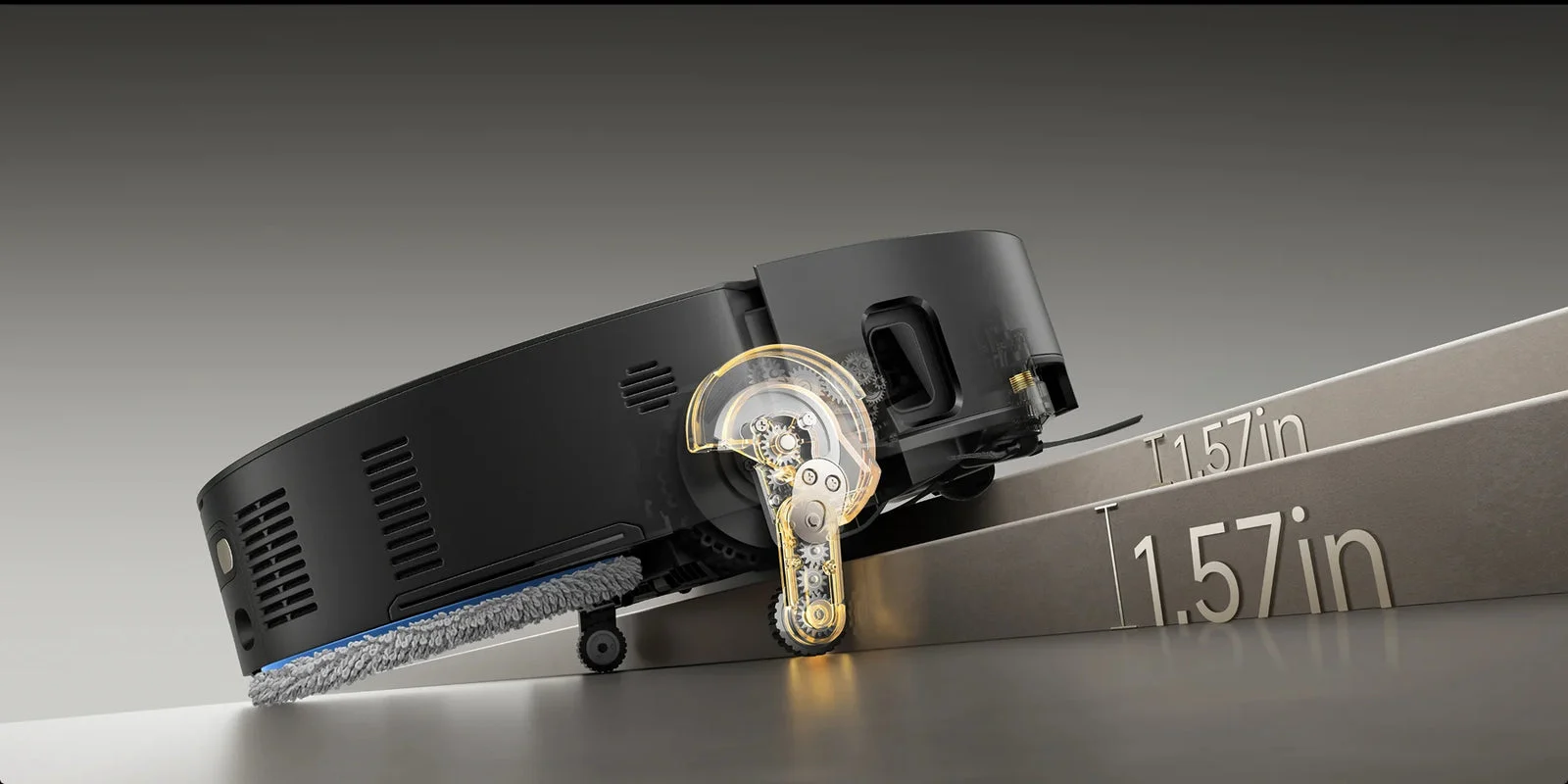
Thresholds and furniture clearance
The ProLeap retractable-leg system is designed to help the robot cross thresholds that stop simpler machines. Dreame’s current US listing distinguishes up to 1.65 inches for a single-layer step from up to 3.15 inches for a suitable double-layer step.
The taller figure requires a particular two-step profile: Dreame says the top surface of the lower step must be more than 4.72 inches wide. Measure the shape as well as the total height. This is threshold-crossing technology, not a way to vacuum a flight of stairs.
VersaLift navigation retracts for some low-clearance areas. The listed robot height is 3.50 inches with the sensor retracted and 4.37 inches with it raised. Furniture clearance, approach angle and objects underneath still matter.
Obstacle avoidance still needs a sensible starting point. Dreame lists RGB vision and 3D structured light. Clear charging cords, fragile objects and unexpected pet messes rather than relying on the robot to identify every hazard.
A dock that washes, dries and empties
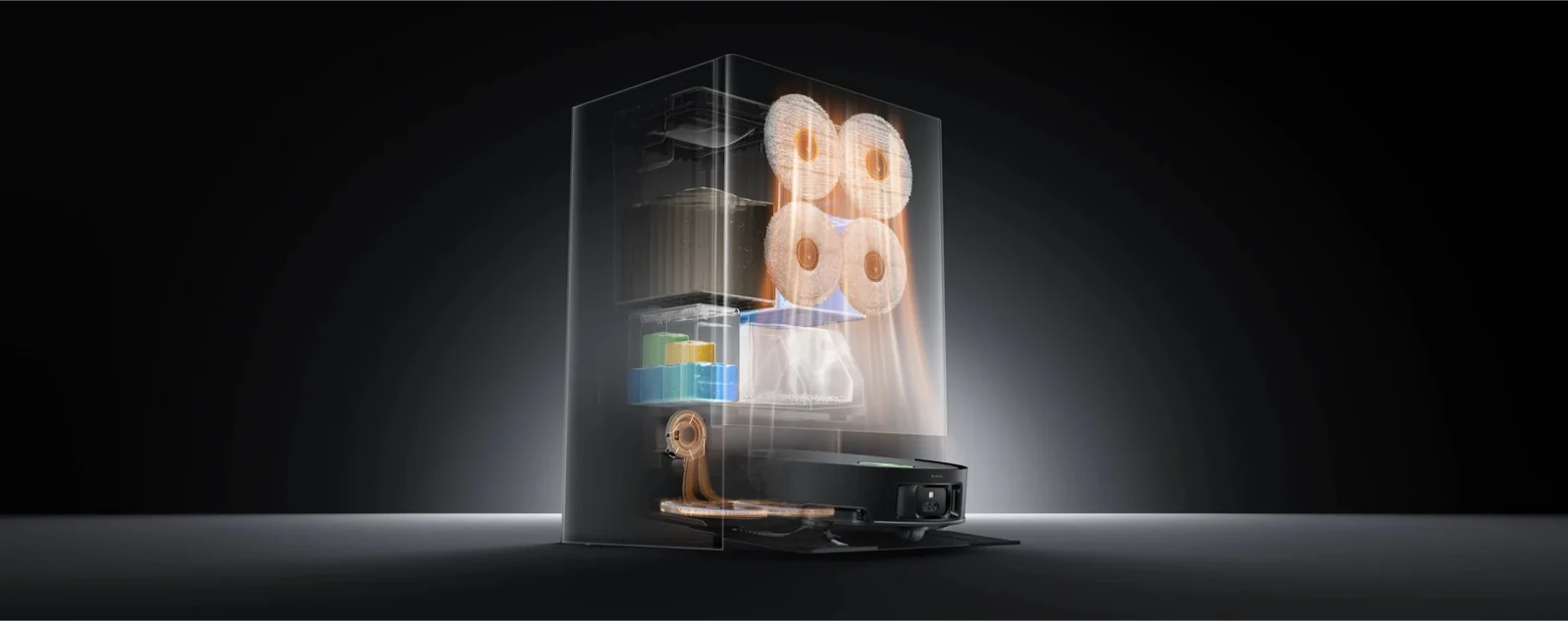
The PowerDock combines mop storage and switching with dust collection, water tanks and cleaning functions.
What the station handles
The listed features include automatic dust emptying, hot-water mop washing, hot-air drying, solution refilling and washboard care. In the configured CleanGenius mode, the system can also trigger mop rewashing and floor remopping. The 3.2-liter bag gives debris somewhere to collect between changes, but the interval will depend on how often you clean and what the robot picks up.
What still needs you
Refill the clean-water tank, empty the used-water tank, clean the tray and inspect the brushes, filters and mop pads. Replace consumables as the manual recommends. Dreame’s 212°F figure refers to temperatures around the dock’s washboard heating system under stated conditions. It does not mean the robot washes your entire floor with 212°F water.
Set up the rooms before the schedule
Take time with the first map. Name the rooms, check restricted areas and assign the mop sets and cleaning routine before relying on an unattended schedule. A complicated home benefits from a carefully configured robot more than from leaving every setting on default.
The Dreamehome app is central to those controls. Camera-based pet-monitoring features are optional; review the privacy and camera settings before enabling them. Check current firmware and regional support for any smart-home feature you intend to use.
A detail to check: the current product-page footnote still describes Matter support as an upcoming software update. Confirm that it is available for your unit before making it a deciding feature.
Who should put it on the shortlist?
Choose it for the cleaning routine you will use, then make sure the dock and upkeep fit your home.
A stronger fit
- Several hard-floor rooms that benefit from frequent mopping.
- A kitchen or pet area you want to assign a separate mop set.
- Suitable thresholds and enough space for the large station.
- An owner willing to configure the app and maintain the dock.
Consider a simpler setup if…
- Your main need is dry pickup on carpet.
- You have limited storage or cannot easily access the water tanks.
- You will not use separate mop sets or solution types.
- You prefer fewer consumables and less equipment to look after.
For a wider view of the brand’s robots, sticks and wet-dry cleaners, see our Dreame review. Before ordering, check the selected US bundle, included mop sets and solutions, replacement-part availability, warranty and return terms.
Frequently asked questions
What makes the Matrix10 Ultra different?
Its Multi-Mop Switching Dock can exchange room-assigned mop sets, while the three-solution compartment provides separate floor-care options. Those features are a clearer reason to choose it than the maximum suction figure alone.
Can it climb a 3.15-inch step?
Dreame’s 3.15-inch figure applies to a suitable double-layer step, with more than 4.72 inches of usable depth on the lower step. The stated single-layer limit is 1.65 inches. Actual results depend on the threshold and conditions; it cannot clean a flight of stairs.
Does it mop floors at 212°F?
No. The 212°F claim refers to the dock’s mop-washing heating system under specified conditions. It should not be read as the water temperature across your floor during mopping.
Can I use my own cleaning solution?
Follow Dreame’s instruction to use its official compatible solutions. Do not add arbitrary household cleaners or mix different chemicals in the compartments.
Is it suitable for hardwood floors?
The wood-floor care option is intended for compatible sealed wood flooring. Check the flooring manufacturer’s wet-cleaning guidance, choose the appropriate settings and avoid assuming that every wood floor is suitable for robot mopping.
Does the dock remove all maintenance?
No. Clean-water refills, used-water emptying, tray cleaning and inspection of brushes, pads and filters remain part of ownership. Bags, filters, mop pads and solution are ongoing consumables.
Can it replace a cordless vacuum?
It can take over some routine floor cleaning. Stairs, upholstery, car interiors and awkward above-floor spaces still call for a manual cleaner, so a robot and a cordless vacuum often serve different jobs.
A more tailored approach to everyday floor care.
The Matrix10 Ultra is most compelling when separate mop sets, solution choice and dock automation solve a real problem in your home. Measure the space, plan the routine and compare the current bundle.
Keep exploring
Dreame review →
Compare the brand’s robots, sticks and other appliances.
Bosch mixer review →
A closer look at another home-workhorse appliance.
Magimix food processor review →
Explore tools for the kitchen prep before cleanup.